BIRO 404 tools
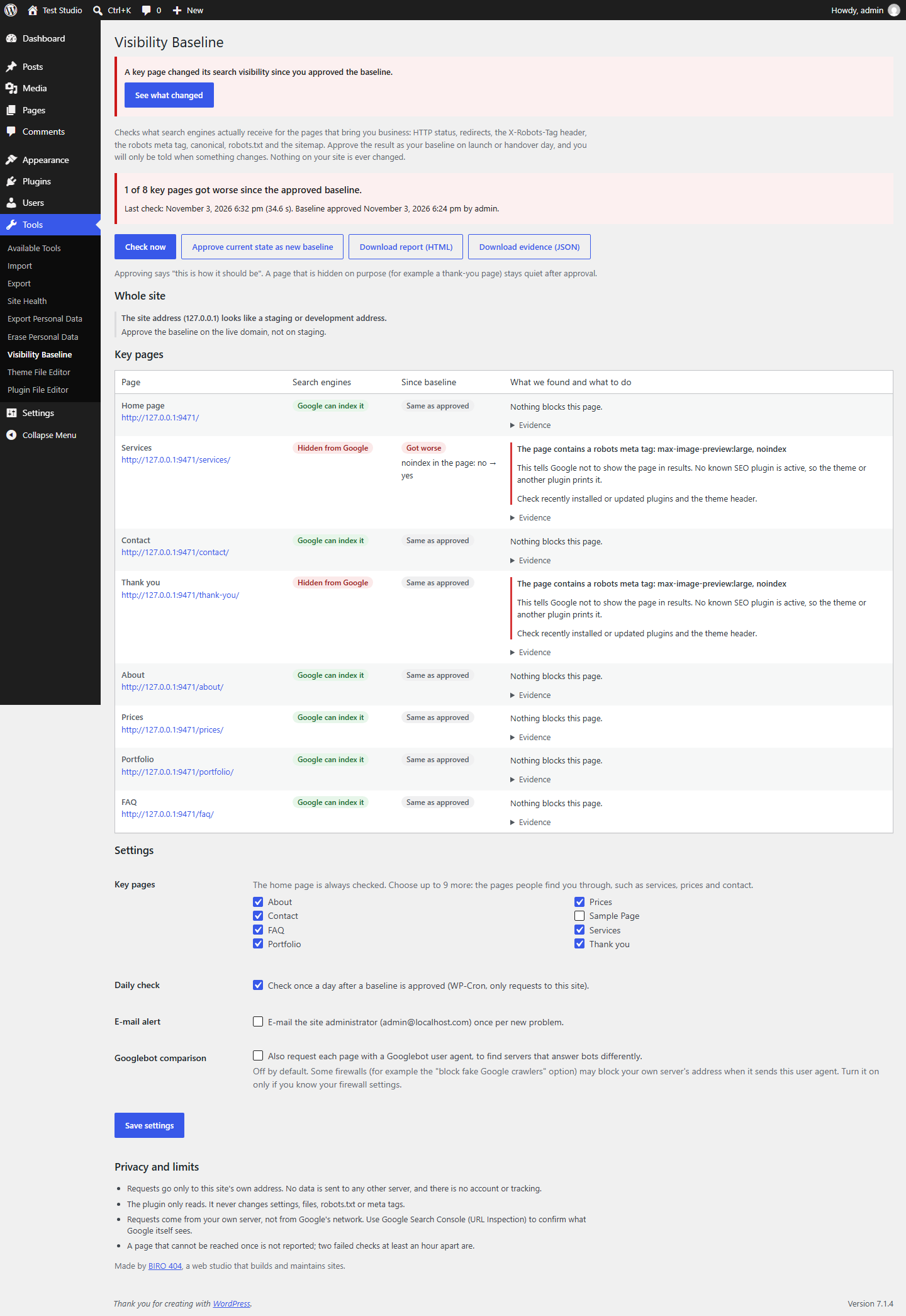
Real plugin row: Services, Hidden from Google, Got worse.
The one that dropped, as the plugin reports it.

Your website was ready for Google. Know when that changes.

Approve how your key pages look to search engines today. Get told only when that gets worse.

Eight key pages of a real test site.

One plugin update later, Services is hidden. The thank-you page was hidden on purpose and stays quiet.

On the approved baselineHidden on purpose, stays quietGot worse: you are told

One approved state. One message when it breaks.

Most launch tools give you a checklist once. This one keeps the state you signed off on and compares every later check against it.

  1. You approve

    On hand-over day you pick up to ten pages that bring in work and approve how they look right now.

  2. Something updates

    A theme, an SEO plugin or a staging push quietly adds noindex to Services.

  3. It notices

    The daily check reads the live response and sees one page drop off the baseline.

  4. You see what changed

    Was: visible. Now: hidden by a robots meta tag. The likely source is named.

  5. You forward a report

    A plain-language HTML report for the client, plus JSON evidence for you.

Approved on hand-over daySame as the approved baseline. 1 key page is hidden, as approved.Services row: Google can index it, same as approved.
Services dropped off the baseline1 of 8 key pages got worse since the approved baseline.Services row: Hidden from Google, Got worse, robots meta tag noindex, with the likely cause.

This is the plugin, running in WordPress.

Screens captured from a real test install (WordPress Playground, PHP 8.2) during this round. Nothing here is a mock-up.

Visibility Baseline admin screen after a check: Services changed from visible to hidden because a robots meta tag now says noindex.
WordPress dashboard notice: a key page changed its search visibility since you approved the baseline.
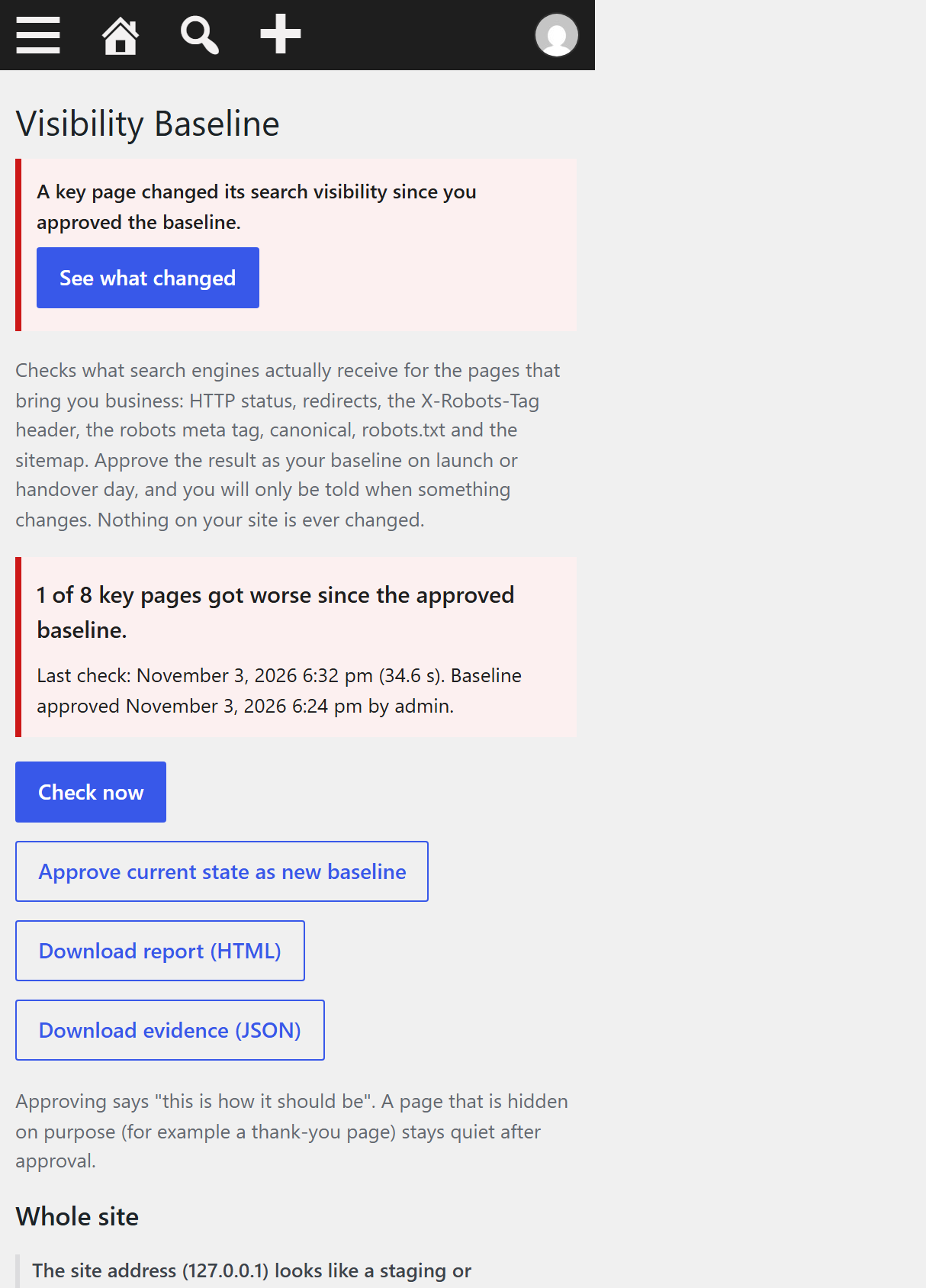
The same admin screen on a phone.
  • Tools, Visibility Baseline. After a plugin update marked Services noindex, the check shows what changed against the approved baseline.
  • The notice appears across wp-admin, for administrators only.
  • Readable on a phone, inside the normal WordPress admin.

Break the test site and see what it says.

Each scenario below changed the real output of the test site. The table shows what the plugin recorded, compared with the approved baseline.

Key pageApproved baselineNowWhat the plugin saw

Quiet on purpose.

A warning you learn to ignore is worse than none. The first two and the last were triggered on the test install. The other three are built in but were not triggered in this round.

A thank-you page that is noindex stays quiet

It was hidden when you approved the baseline, so hidden is the expected state.

Rules for other crawlers are ignored

X-Robots-Tag: otherbot: noindex does not block Google and is not reported.

One failed request is not an alert

A page must fail twice, at least an hour apart, before it is reported as unreachable.

Busy servers are not called broken

429, 408 and 5xx answers read as "could not check", never as "hidden".

An unread sitemap is "unknown"

If a sitemap cannot be read completely, pages are not marked as missing from it.

Back to normal clears the warning

When the site returns to the approved state, the alert goes away on its own.

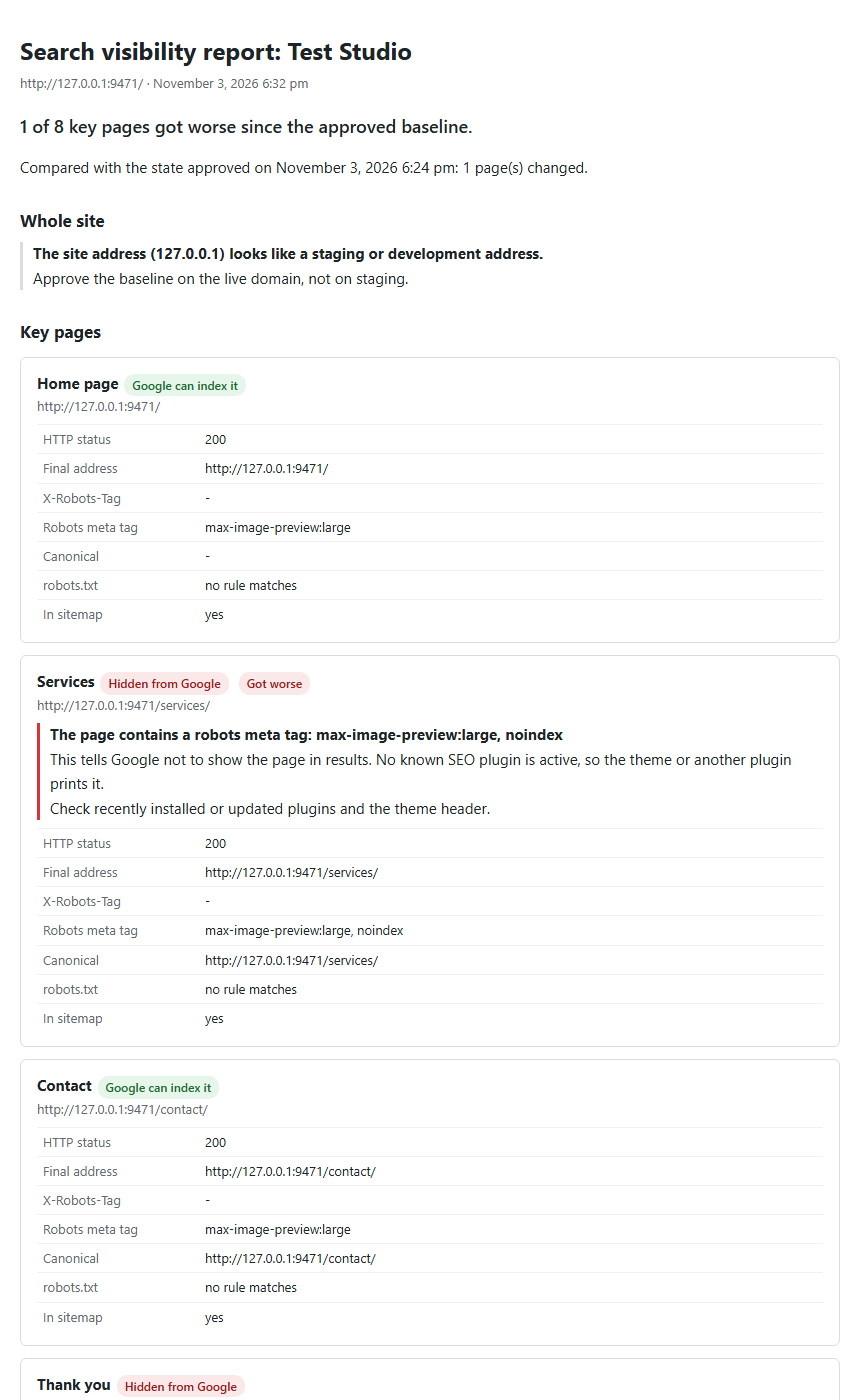
A report your client can read.

One click in the admin downloads a standalone HTML page you can forward or print to PDF.

  • What changed, page by page, in plain words
  • Where the signal came from: WordPress setting, header, page HTML or robots.txt
  • The evidence as JSON, for your own records
The exported client report showing the changed page and its cause.

What it does, and what it does not.

It does

  • Read the public response of up to ten of your own pages: HTTP status, redirects, X-Robots-Tag, meta robots, canonical, robots.txt rule and sitemap entry.
  • Compare each check with the state you approved, daily through WP-Cron or when you click Check now.
  • Name the likely source: the WordPress setting, an SEO plugin, the theme or the server.

It does not

  • Track rankings, traffic or keywords, or score your SEO.
  • Guarantee anything about Google. Checks run from your own server, which is not Googlebot.
  • Change your site or call outside services. No account, no telemetry. The optional e-mail alert goes only to the site admin.

Film, 0:27

Real screens of plugin 0.1.1 from a WordPress Playground test install. The plugin is not yet published and has not been tested on commercial hosting.

Film transcript
  1. Hand-over day. Every key page approved.
  2. Visibility Baseline keeps that approved state.
  3. A week later, an update adds noindex to Services. Visitors see no difference.
  4. It checks again and flags the page that changed.
  5. You see which page changed, and what changed in it.
  6. One click: a report your client can read.
  7. Your website was ready for Google. Know when that changes.
  8. Real plugin screens. WordPress Playground test install. Plugin 0.1.1 tested in WordPress Playground, not yet on commercial hosting.